Give adjusters evidence they can use
Timestamp, strip the audio, and pull the stills, then hand over an action report that logs every action from upload to export, so your clients keep sending you cases.
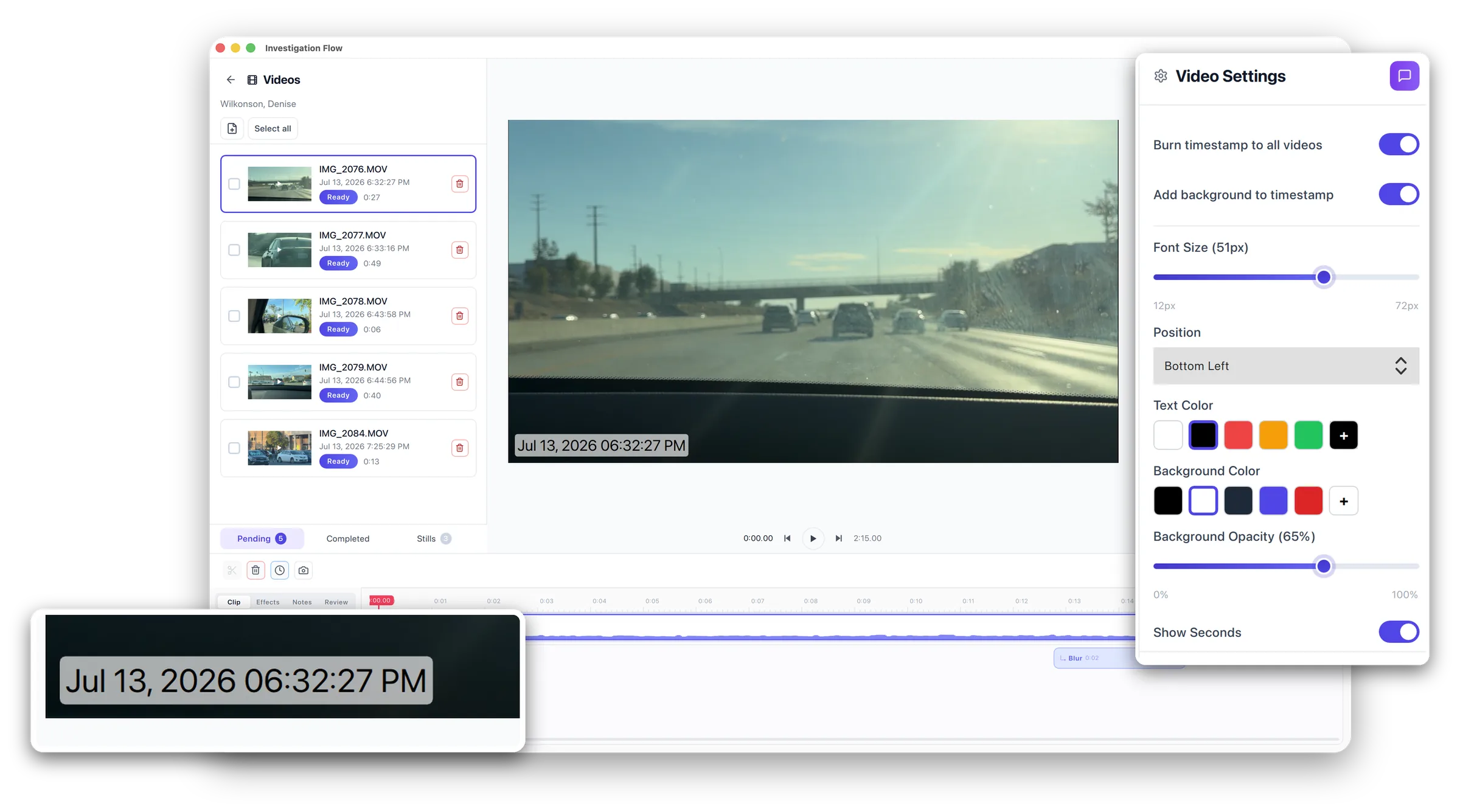
Everything You Need to Save Time
Stop fighting Premiere. Investigation Flow does the four jobs surveillance video actually needs: timestamp, stitch, audio, and stills, and nothing you don't.
Verifiable Timestamps, Automatically
Burn accurate, verifiable date and time onto footage that no longer carries it. Recover the original recording time and lock in timestamps that hold up under scrutiny.
Stitch a Whole Case Into One Sequence
Drop in clips from a day of surveillance and stitch them into a single, logical, chronological video. No timeline wrestling, no general-purpose editor required.
Audio On or Off, Your Call
Keep the audio when it matters, strip it when it doesn't, for privacy or admissibility. One toggle per clip, no re-encoding headaches.
Grab Clean Stills in One Click
Pull clean still shots straight from the footage you're editing, perfect for reports, exhibits, and client updates, without switching tools.
A Full Action Report on Every Case
Every action is logged in order, from the moment footage is uploaded through each edit to the final export. Hand over a clear, defensible record of exactly what was done to the video.
Redact, Highlight, Annotate, and Brand
Blur bystanders and plates, spotlight your subject, and drop in text, notes, or your logo, right on the video. Steer the viewer's eye to what matters while nothing private slips through.
Process Entire Cases at Once
Stop processing one file at a time. Batch whole folders of surveillance video in a single pass and reclaim the hours you spend on manual prep.
Built for Investigators, Not Filmmakers
Export universally-accepted MP4, install on Windows or Mac in minutes, and start working immediately. No editing degree, no learning curve.
Ready to turn footage into evidence?
Download Free TrialThis Is The Actual App
No mockups. Real footage, real case, real screens from Investigation Flow running on a Mac.
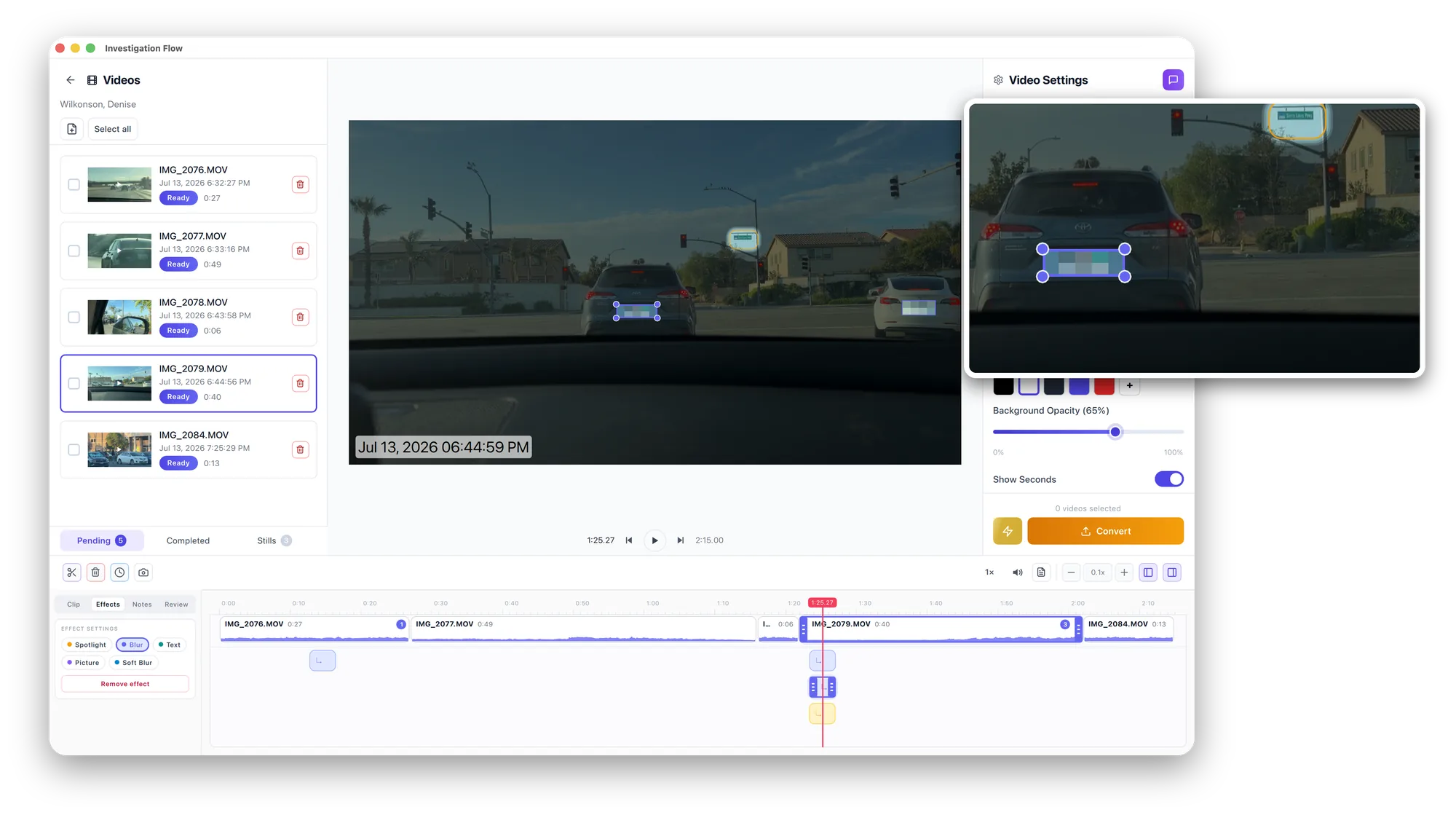
Redaction
Blur what shouldn't be seen
Drop a blur box on a plate, a face, or a house number and it tracks the clip. Nothing private leaves your office, and the rest of the frame stays untouched.
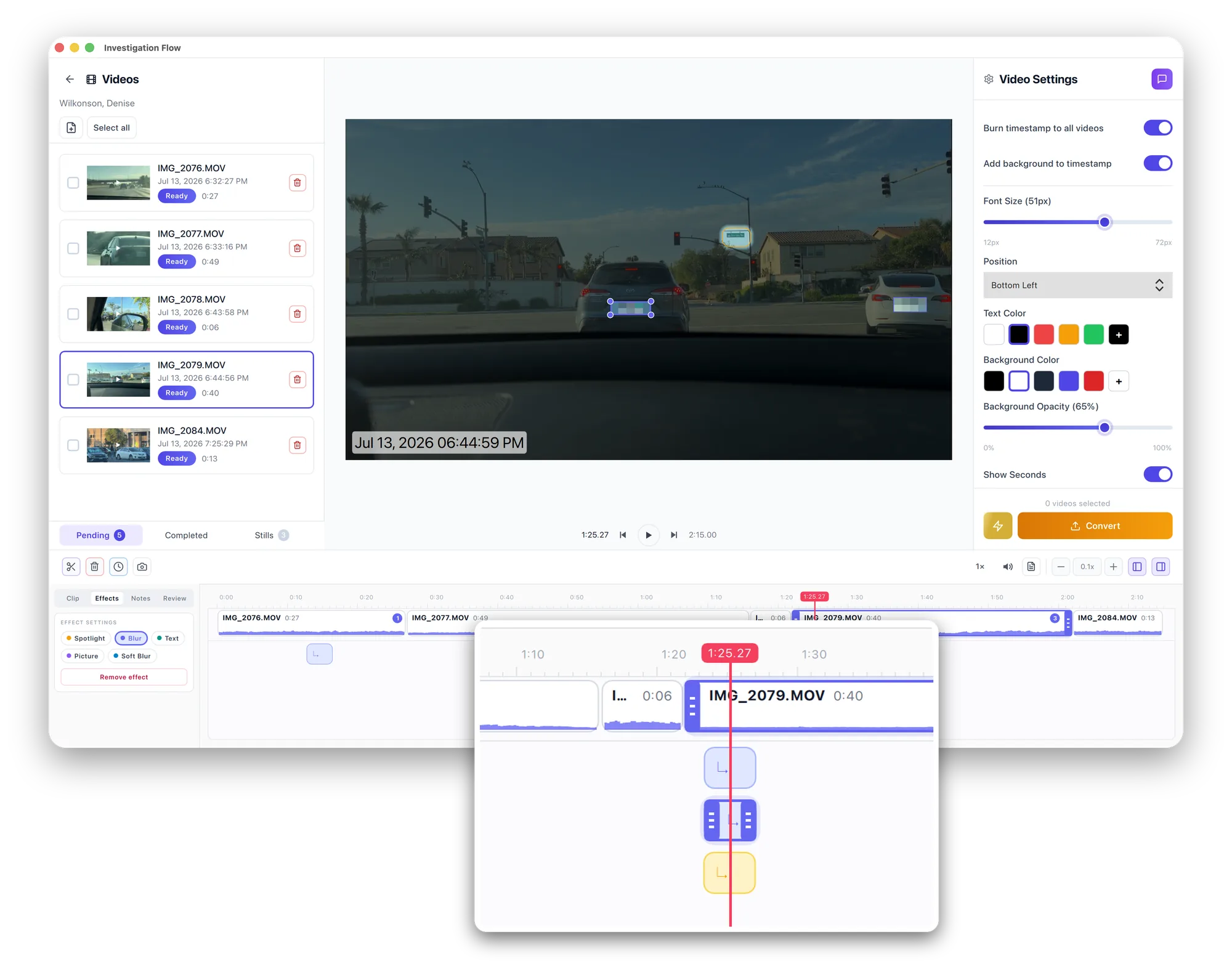
Stitching
A whole day on one timeline
Every clip from a shift lands in chronological order on a single timeline. Trim, mark, and layer effects where they matter, then export one continuous file.
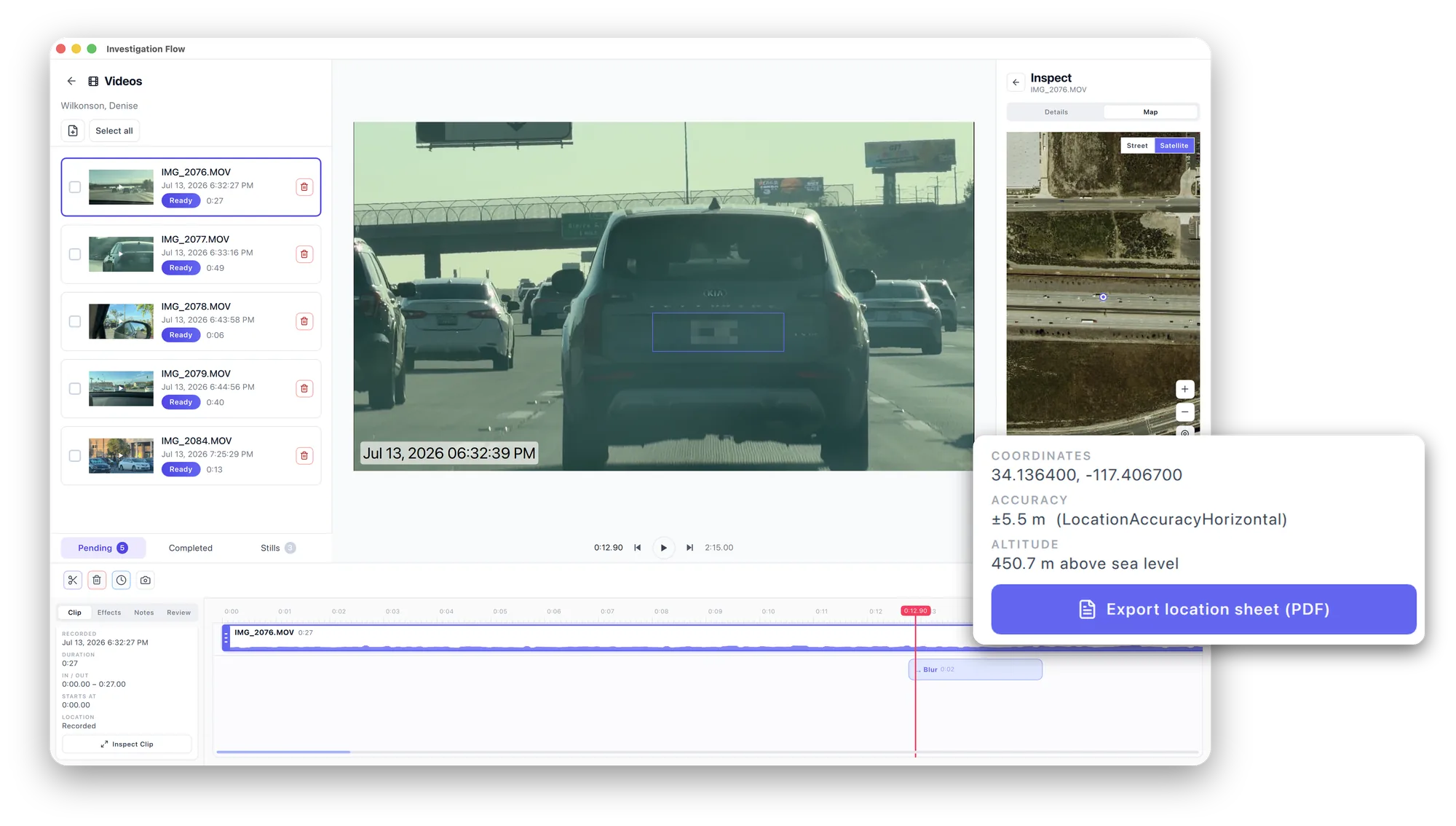
Location
Prove where it was shot
Investigation Flow reads the GPS data your camera already recorded and pins the clip on a satellite map, with coordinates, accuracy, and altitude. Export it as a location sheet and attach it straight to the file.
Simple Three-Step Process
Investigation Flow streamlines your workflow from upload to export
Add Your Footage
Drag and drop a day's worth of surveillance clips from any camera or device. Supports all major video formats.
Timestamp, Stitch & Edit
Add accurate timestamps, stitch clips into order, toggle audio on or off, and grab still shots, all in one place.
Export and Deliver
Make final edits and redactions, then export universally-accepted MP4 files in minutes, each with an action report that logs every action, ready for clients and case files.
100% Verifiable
Professional Quality
Batch Processing
Multiple Videos at Once
Built Around the Real Surveillance Workflow
Adding a date and time stamp to modern surveillance footage is a known headache. General editors like Premiere have no easy way to do it. Investigation Flow was built specifically to fix that.
Minutes, not hours
Timestamp, stitch, and export a full day of surveillance footage in the time it used to take just to set up your editor.
Holds up under scrutiny
Accurate, verifiable timestamps and clean MP4 exports built to meet agency standards, not Hollywood effects.
Made for one job
No bloated timeline, no learning curve. Just the four tools surveillance video needs: timestamp, stitch, audio, and stills.
Frequently Asked Questions
Everything you need to know about Investigation Flow
Yes! Investigation Flow supports both individual video timestamping and batch processing. You can process entire folders of surveillance footage with just a few clicks, saving you hours of work.
Investigation Flow supports all common video formats including MP4, MOV, AVI, WMV, and more. You can export your timestamped videos in MP4 format, which is universally compatible with clients and case files.
Yes! Investigation Flow is available as a native application for both macOS and Windows. You'll get the same features and performance on both platforms.
Absolutely. Investigation Flow offers extensive customization options including timestamp format (date/time styles), position on screen, font size, color, and more. You can also edit timestamps after they've been added.
Yes. You can stitch multiple surveillance clips into one logical, chronological sequence, keep or remove the audio on each clip, and grab clean still shots straight from the footage you're editing, all without a separate editor.
Each license runs on one computer at a time. You can move a license to a different computer whenever you need to: just deactivate the license key on the old machine, then activate it on the new one. To run Investigation Flow on multiple computers at the same time, you'll need a license for each.
Yes, you can cancel your subscription at any time. No questions asked, no cancellation fees. If you cancel, you'll retain access until the end of your billing period.
Already using another editor? See how Investigation Flow compares:
Still have questions?
Can't find the answer you're looking for? Our support team is here to help.
Contact SupportReady to Turn Footage Into Evidence?
Stop fighting general video editors. Do timestamping, stitching, audio, and stills in one tool built for investigators.